
How to use Flymatch on your own: from a free month to a booked flight
The screenshots show Flymatch in Italian: buttons and menus are in the same places in every language.
Flymatch was built for groups, but it works just as well when you're the only one travelling. The method is the same: you don't start from a destination, you start from what you can actually reach. First you see every destination served by direct flights from your airport, then you let the month, the days of the week and the dates filter them one after another. The price only comes at the end, once the choice is made.
In this example we leave from Turin and look for a weekend in November.
1. Start from your saved airports
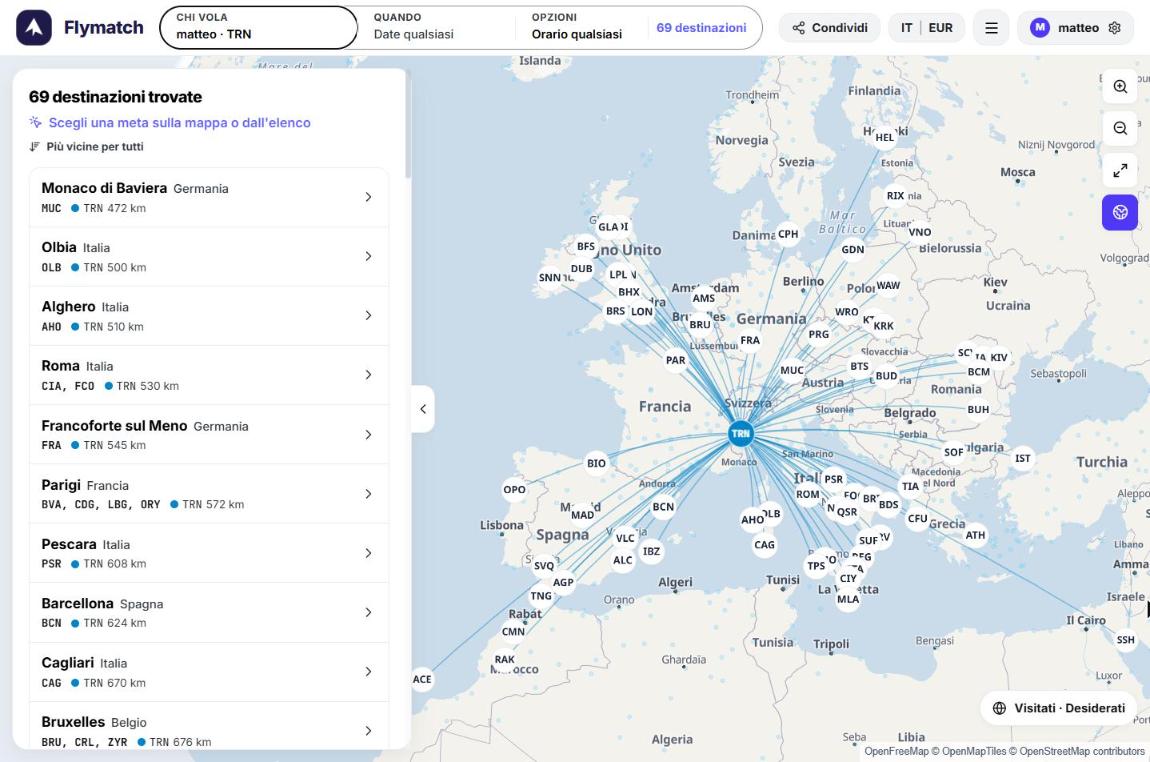
Once you're signed in, Flymatch loads the departure airports saved in your profile. The map immediately shows every destination you can reach with a direct flight: from Turin there are 69, listed on the left from nearest to farthest, with the distance in km.
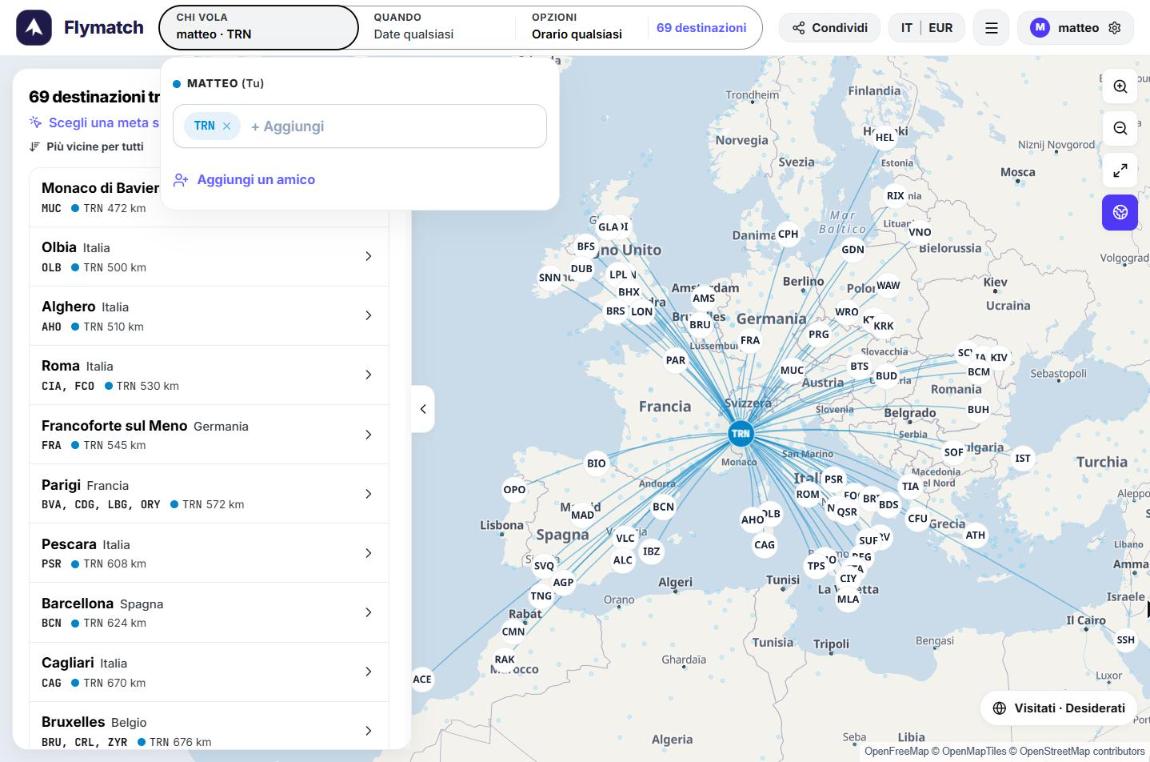
If you live between two cities, or don't mind an hour's drive, add more airports from Who's flying → + Add. Every extra airport widens the range of destinations.
You can also change your favourite airports from your profile. From there they become the starting point of every new search.
2. Pick the month and see which routes are running
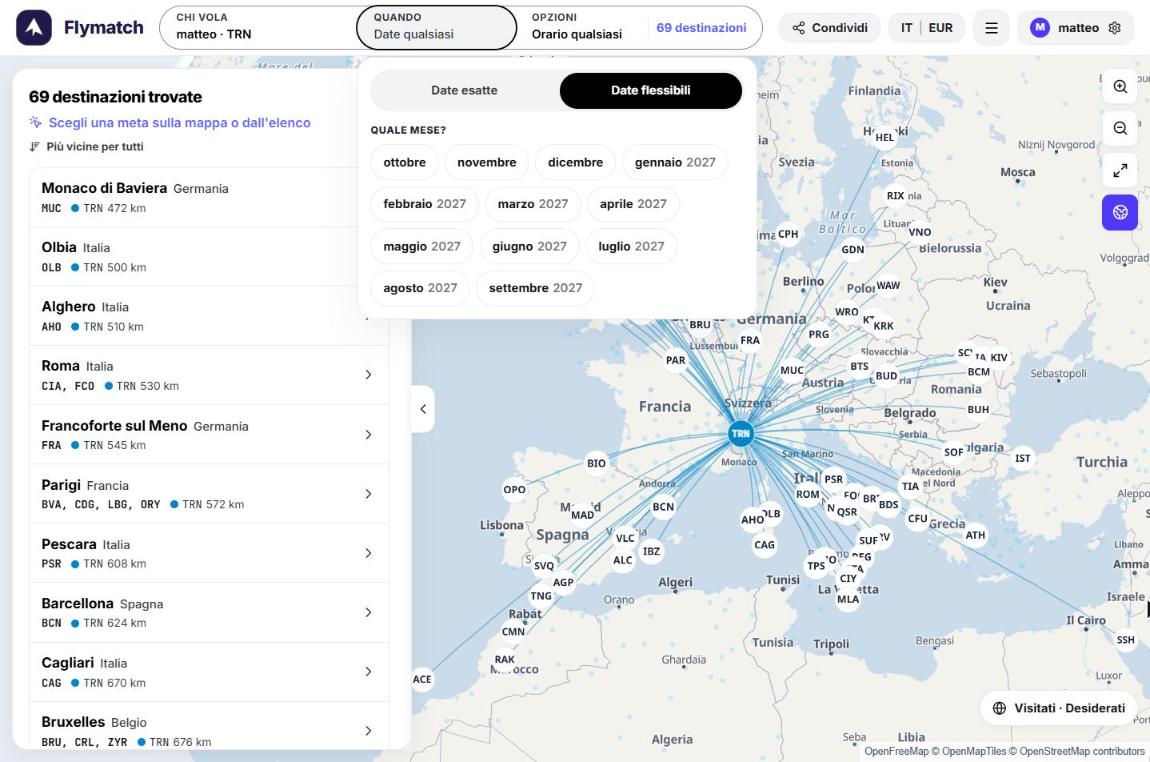
Open When → Flexible dates and select a month. Many routes are seasonal: by choosing the month you only see the ones that actually fly in that period.
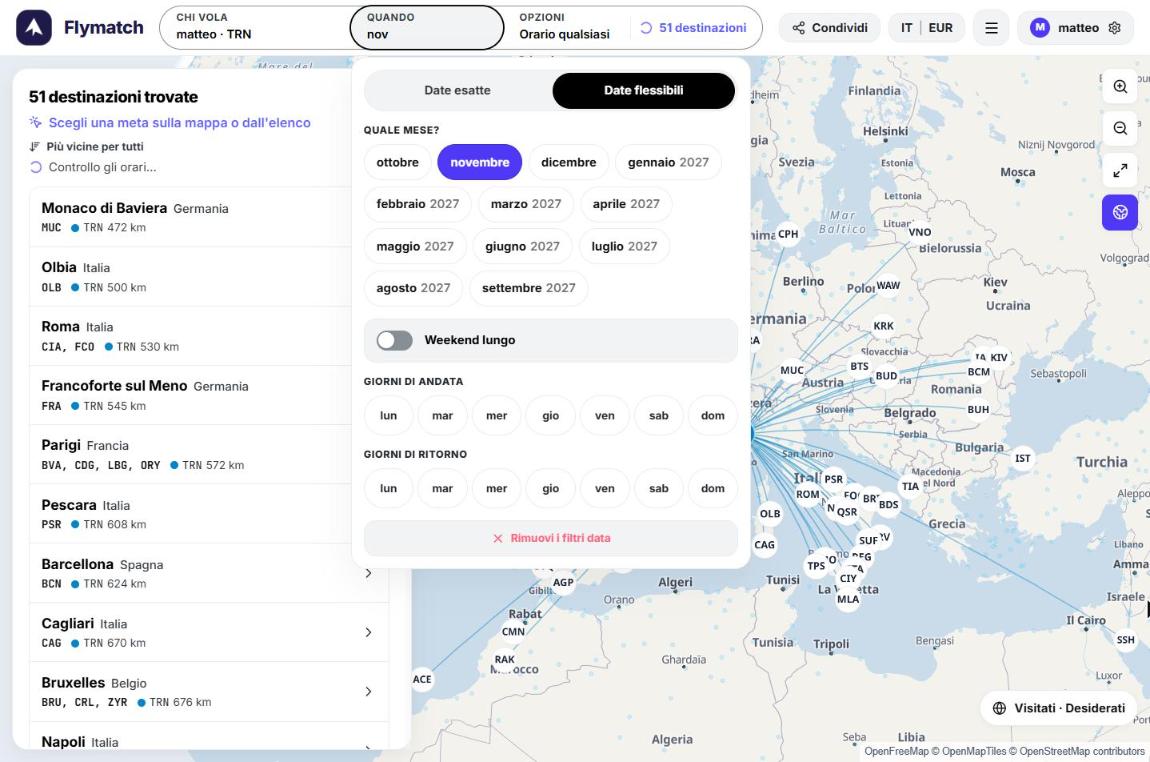
In November the destinations drop from 69 to 51. The other 18 are summer routes or flights not scheduled that month.
3. Add the outbound and return days
This is where the month becomes a weekend. In Outbound days and Return days select, for example, Fri and Sun: only the destinations with a direct flight on Friday and a return on Sunday of the same weekend remain.
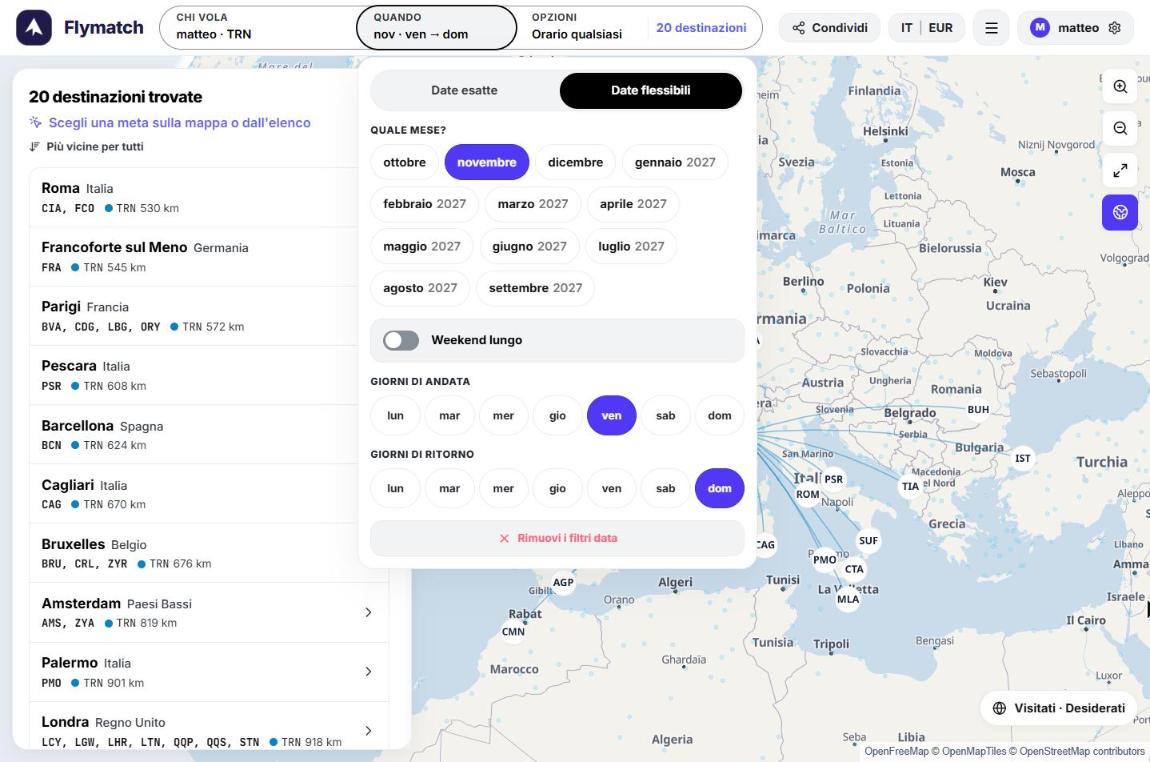
From Turin, in November, the possible Friday–Sunday weekends lead to 20 destinations: Rome, Paris, Barcelona, Brussels, Amsterdam, London, Palermo and more. For bank holidays there's the Long weekend switch, or you can add Thu to the outbound days and Mon to the return days.
4. Open a destination and choose the exact weekend
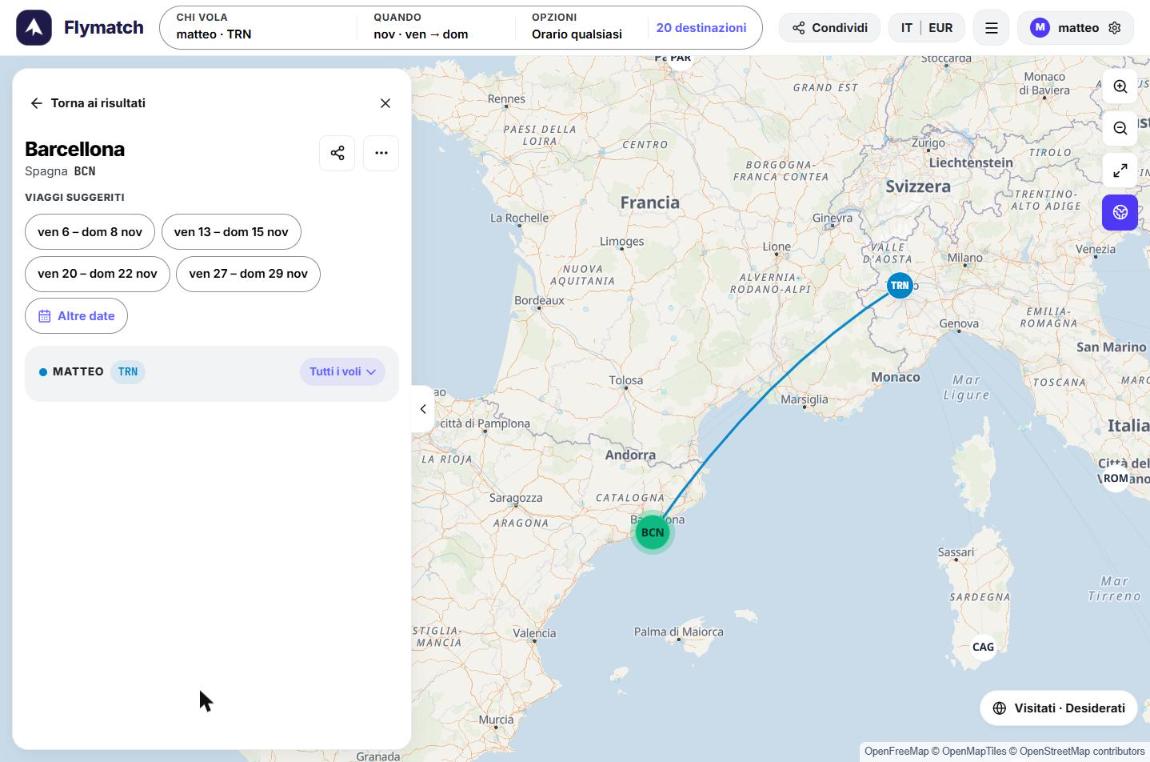
Click a destination, for example Barcelona. Flymatch shows the Suggested trips, that is every weekend of the month that matches your filters, and the map draws the route.
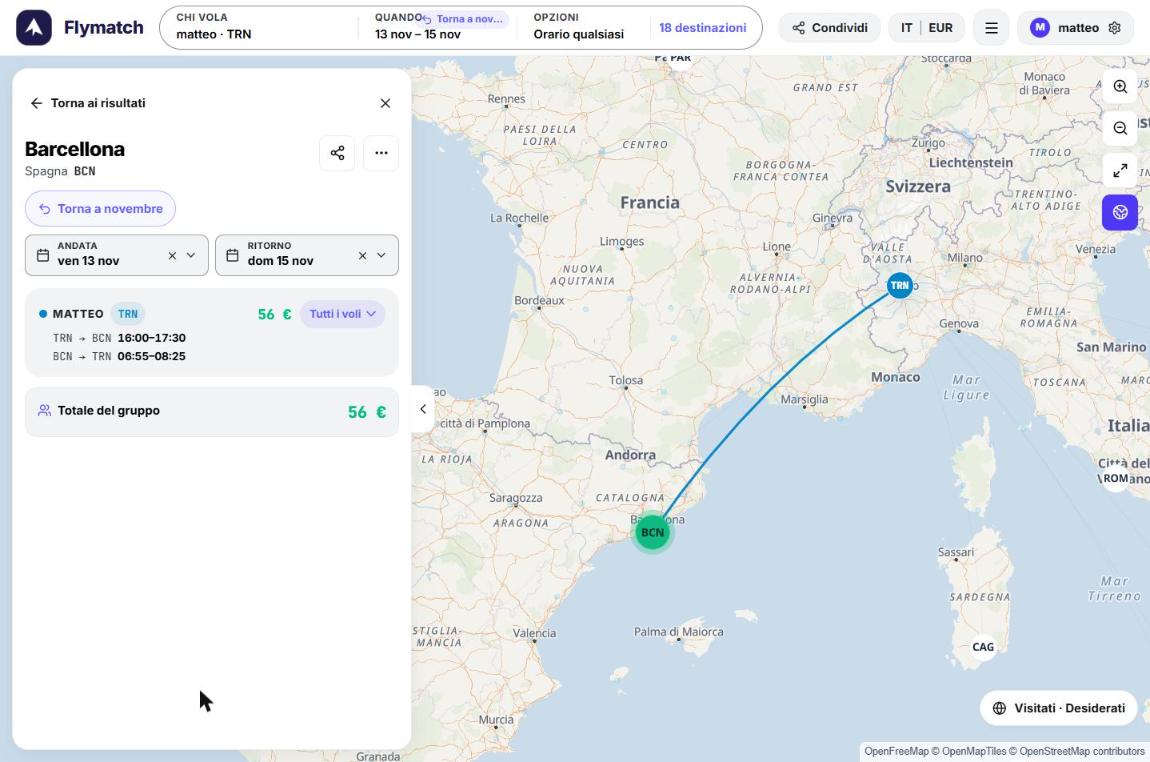
Choose Fri 13 – Sun 15 Nov. Only now, with destination and dates set, does Flymatch fetch live prices. It takes a few seconds, then the cheapest combination appears: €56 return.
5. Compare times, not just prices
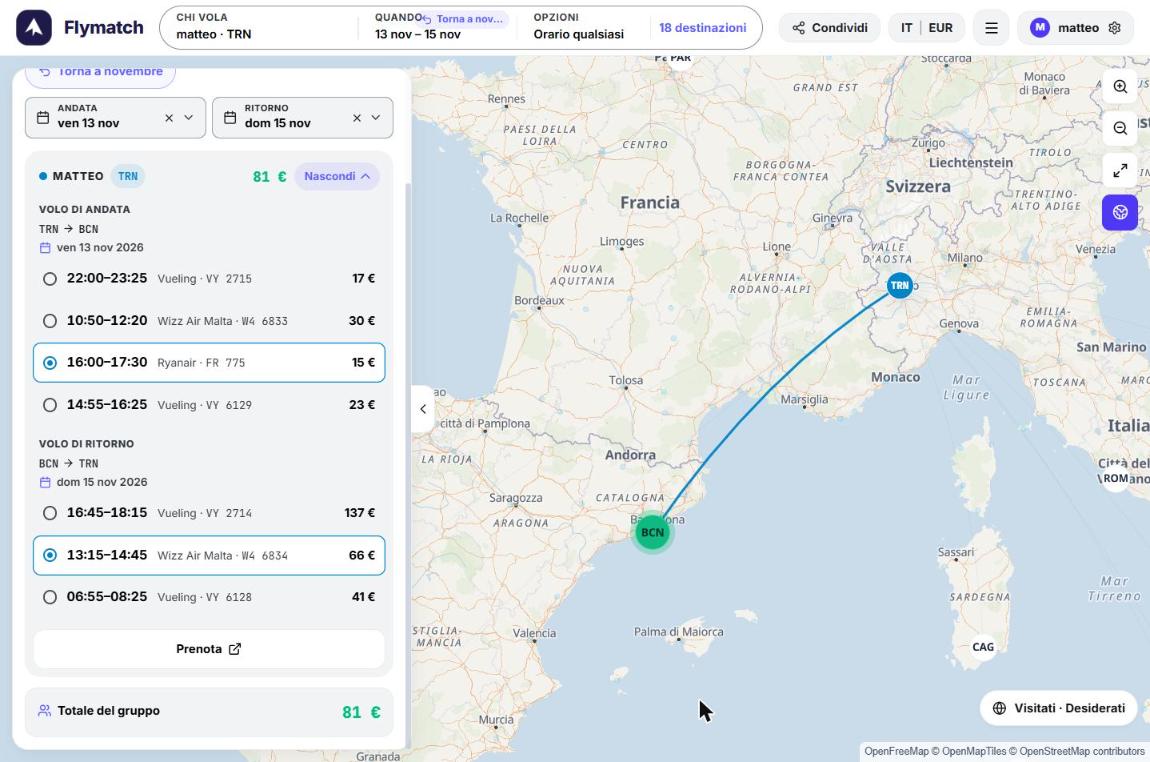
The cheapest combination isn't always the best one. Open All flights to see every direct flight of the day, with airline, flight number and price.
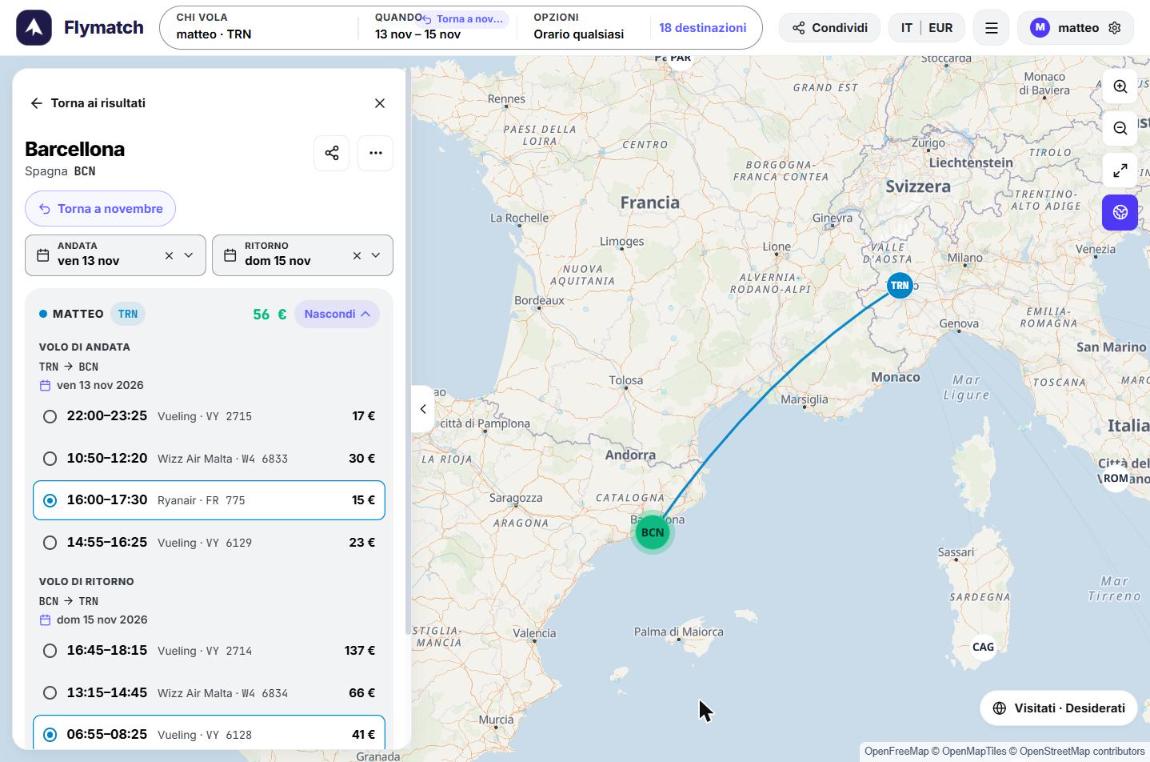
In our case the €56 option means flying back at 06:55 on Sunday, which means giving up the last day. The 13:15 Wizz Air costs €25 more and leaves you the morning in Barcelona. Total: €81.
6. Click Book
Book opens the search already filled in (route, dates, Nonstop filter) on the booking site, where you complete the purchase.
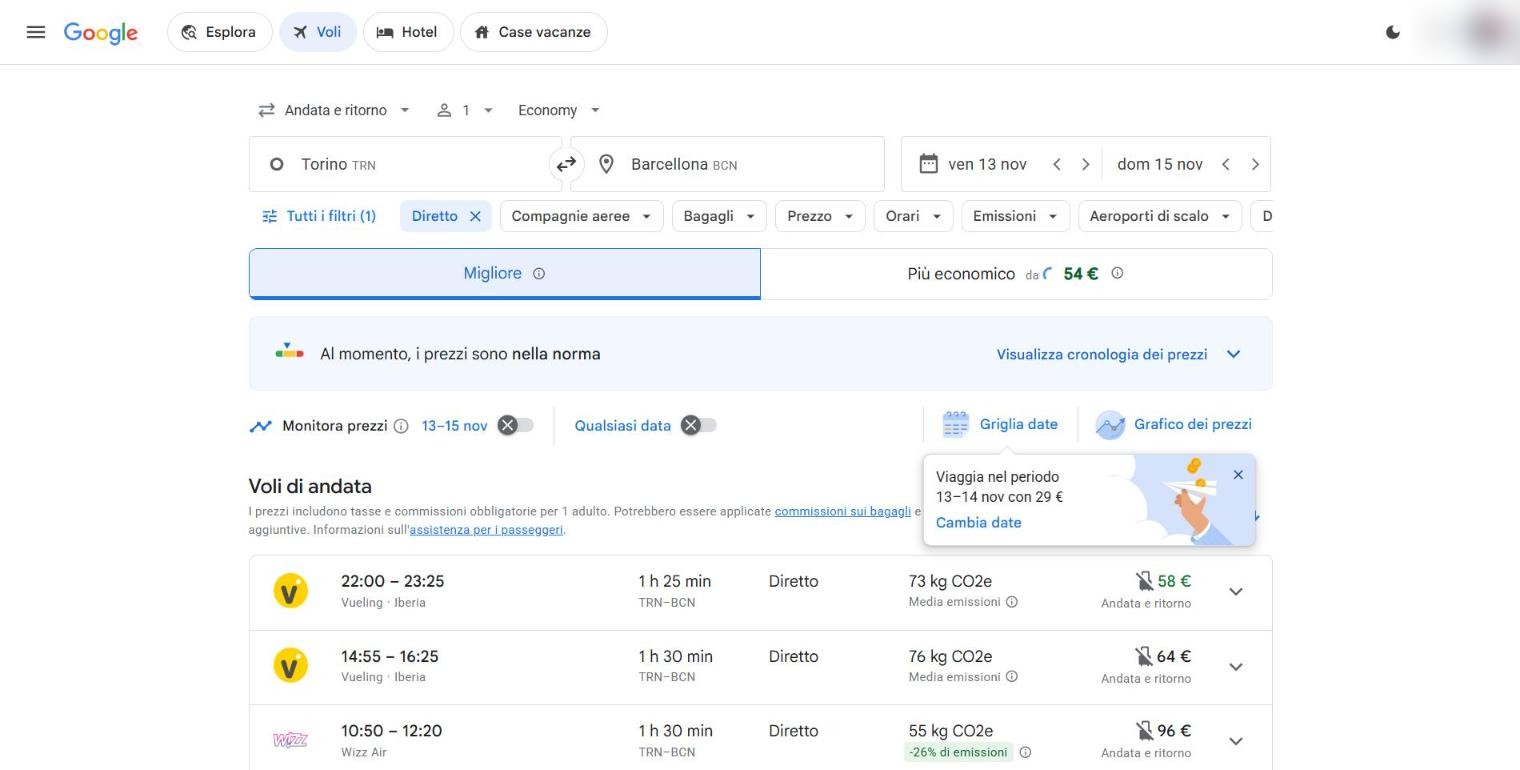
The prices shown by Flymatch are indicative and refer to the individual flights. At the time of purchase the price depends on the booking site, luggage and availability. Always check it before paying.
In short
| Step | What you do | Result (Turin, Nov 2026) |
|---|---|---|
| Airports | TRN saved in your profile | 69 direct destinations |
| Month | November | 51 active destinations |
| Days | Outbound Fri, return Sun | 20 destinations |
| Destination + dates | Barcelona, 13–15 Nov | from €56 |
| Times | Return at 13:15 instead of 06:55 | €81 |
The method works for any city: first what's possible, then what's cheapest. When you want to travel with someone, just add them in Who's flying and the logic stays the same.
Prices and routes checked on 23 October 2026.
Try it with your group
Add everyone's departure airports and see where you can all fly direct. Searching for destinations is free and needs no account.
Open Flymatch